What’s New in 1.7.0
Version 1.7.0 introduces new capabilities with explicit feature-flag control so teams can adopt changes progressively.
Release focus
This release is centered on two feature-flagged improvements:
- Container Assist integration (preview)
- Simplified, role-based AKS context menu
Both are opt-in and can be enabled independently.
Feature flags at a glance
{
  "aks.containerAssistEnabledPreview": true,
  "aks.simplifiedMenuStructure": true
}
Defaults:
aks.containerAssistEnabledPreview:falseaks.simplifiedMenuStructure:false
1) Container Assist integration (Preview)
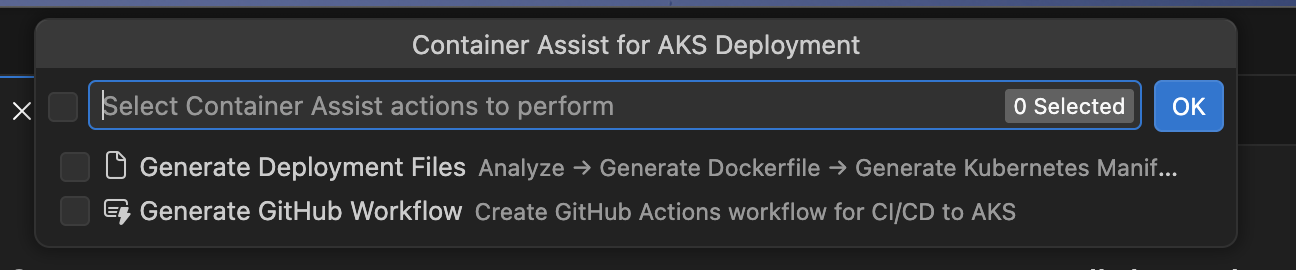
Container Assist helps generate AKS deployment assets directly from your project with an optional GitHub handoff flow.
Highlights:
- New preview commands in Explorer and AKS cluster menus
- Guided generation for Dockerfile and Kubernetes manifests
- Optional GitHub workflow generation for AKS deployment
- Post-generation flow to stage changes, review in SCM, and open a PR
Read full details:
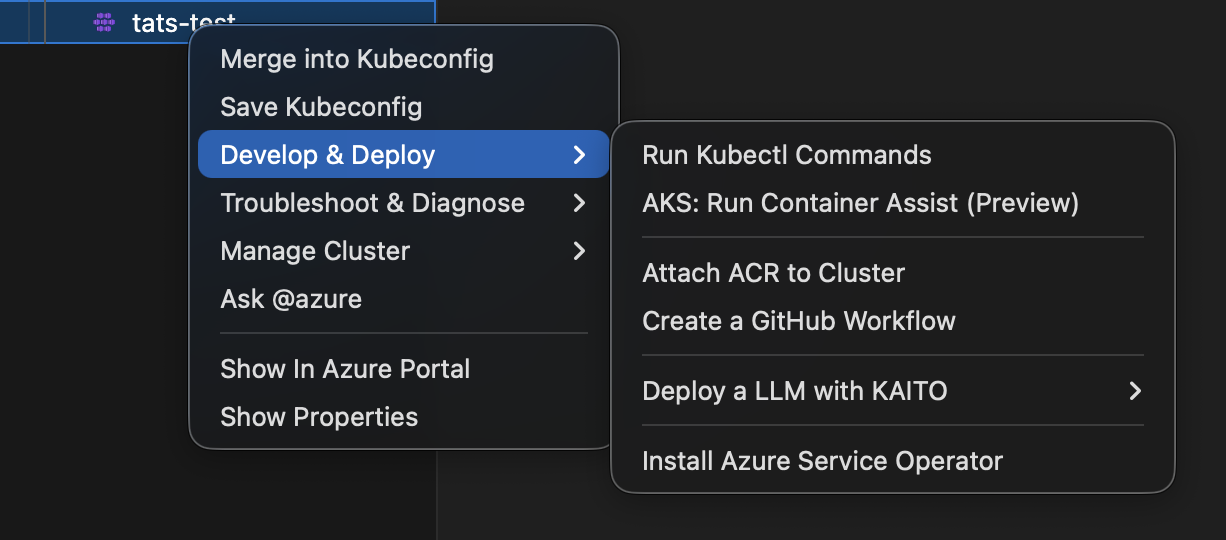
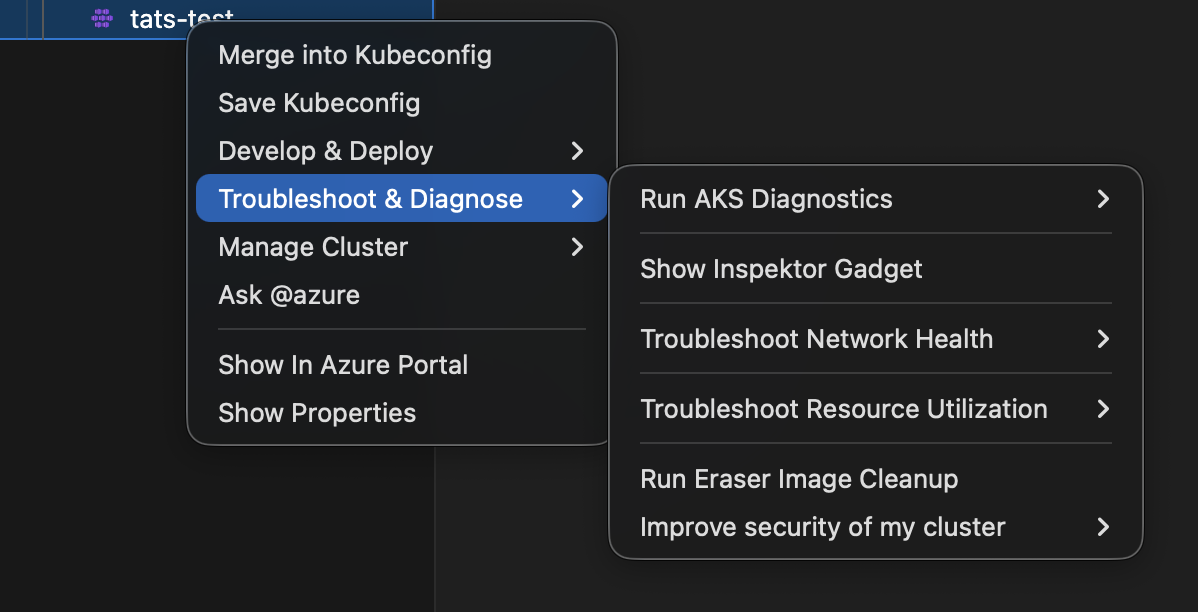
2) Simplified AKS menu structure (Feature Flag)
AKS cluster right-click actions can now be grouped by user intent under:
Develop & DeployTroubleshoot & DiagnoseManage Cluster
This reduces top-level clutter while preserving access to existing operations.
Read full details:
Behavior and compatibility
- Existing behavior remains the default when feature flags are not enabled.
- Teams can trial either feature in preview environments before broader rollout.
- No mandatory migration is required for readers who keep defaults.
Recommended reader path
- Enable one flag at a time in local settings.
- Validate expected menu visibility and command flow.
- Roll out to team settings after confirmation.
Screenshots