Simplified AKS Menu Structure
When you right-click an AKS cluster, the commands are grouped by the kind of task you are doing rather than listed all at once. This is how the menu behaves by default.
If you preferred the previous layout, run AKS: Switch to Classic Menu — see Switching between Classic and Grouped menus.
How commands are grouped
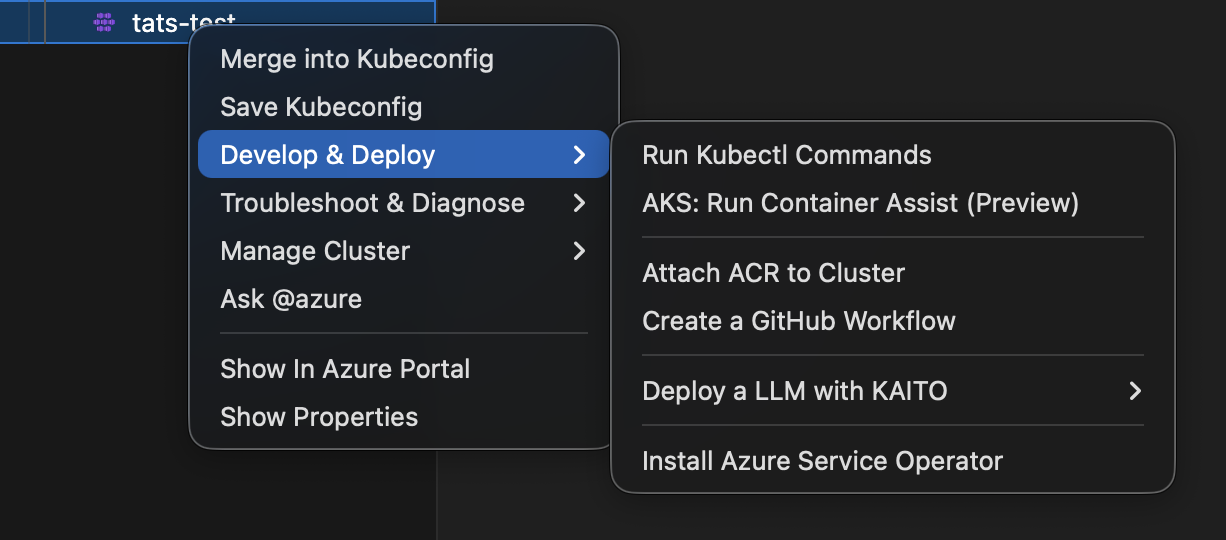
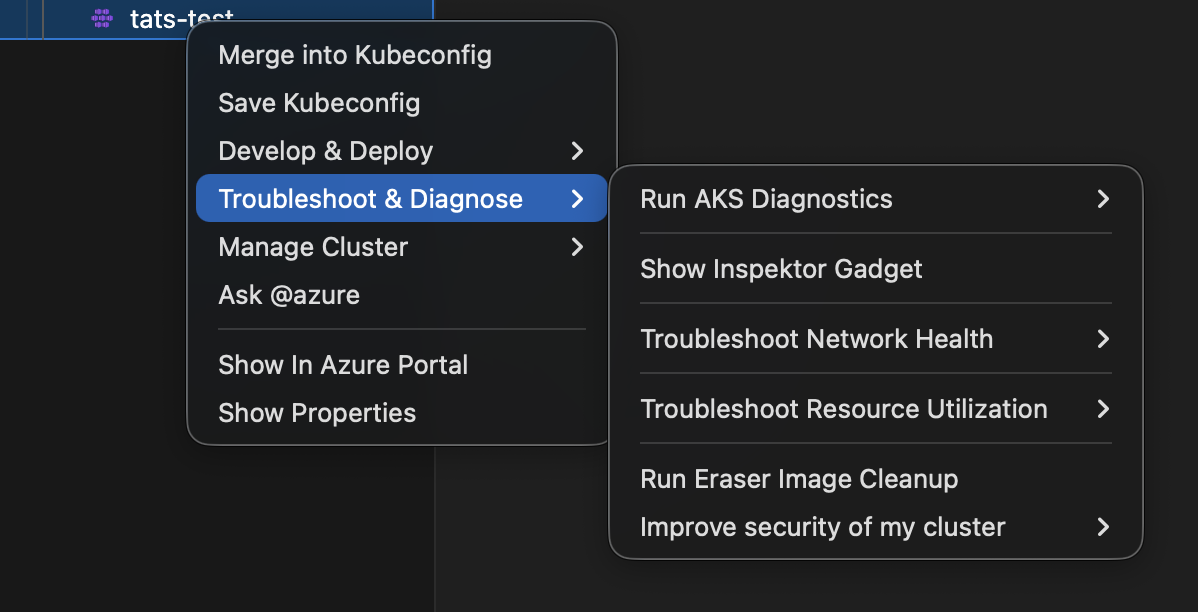
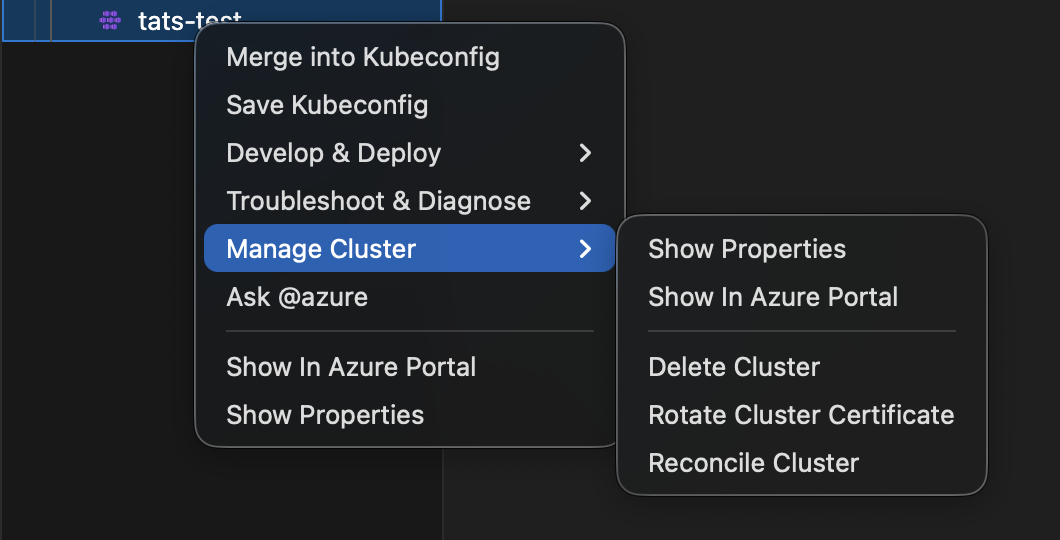
Rather than one long list of top-level commands, cluster actions sit in three submenus:
Develop & DeployTroubleshoot & DiagnoseManage Cluster
These stay top-level: Show In Azure Portal, Show Properties, AKS Quick Actions, and Switch to Classic Menu.
Menu grouping overview
Develop & Deploy
: Run Kubectl Commands, Attach ACR to Cluster, Create a GitHub Workflow, Run Deployment Safeguards YAML Validation, Install Azure Service Operator, the Deploy a LLM with KAITO submenu, Check Argo CD Status (with aks.argoCDEnabled), and the Container Assist commands (with aks.containerAssistEnabledPreview).
Troubleshoot & Diagnose
: The Run AKS Diagnostics, Troubleshoot Network Health, Troubleshoot Resource Utilization, and Improve security of my cluster submenus, plus Show Inspektor Gadget and Run Eraser Image Cleanup.
Manage Cluster
: Show Properties, Show In Azure Portal, Delete Cluster, Rotate Cluster Certificate, Reconcile Cluster.
Where the Container Assist commands appear
With aks.containerAssistEnabledPreview enabled (the default), AKS: Migrate Application to AKS appears under Develop & Deploy. With a workspace folder also open, AKS: Generate Dockerfiles and K8s Manifests for App and AKS: Deploy App with Automated Pipeline appear alongside it.
Switching between Classic and Grouped menus
Two commands let you switch menu modes without opening Settings:
| Command | Effect |
|---|---|
| AKS: Switch to Classic Menu | Sets aks.simplifiedMenuStructure to false and prompts to reload. |
| AKS: Switch to Grouped Menu | Sets aks.simplifiedMenuStructure to true and prompts to reload. |
Both commands are available in:
- The Command Palette (
Cmd+Shift+P/Ctrl+Shift+P). - The AKS cluster context menu (right-click on a cluster in the Azure/Kubernetes Cloud Explorer).
Only the applicable command is shown — if the grouped menu is active you see “Switch to Classic Menu”, and vice versa.
After running either command, VS Code prompts you to reload the window. The new menu layout takes effect after the reload.
Changing it in Settings instead
If you would rather set this directly, the menu is controlled by
aks.simplifiedMenuStructure. Set it to false for the classic menu, where seven
submenus — Run AKS Diagnostics, Deployment Tools, Managed Cluster
Operations, Troubleshoot Network Health, Troubleshoot Resource Utilization,
Improve security of my cluster and Deploy a LLM with KAITO — sit directly on the
cluster context menu instead of being grouped into the three role-based submenus:
{
  "aks.simplifiedMenuStructure": false
}
Reload the VS Code window afterwards.
Screenshots