New SSH helper aliases for Python apps on Azure App Service for Linux
Troubleshooting a running application often starts with SSH. To make that experience simpler for Python apps on Azure App Service for Linux, we have added new SSH helper aliases for common app, log, networking, and Azure AI Foundry diagnostics.
When you SSH into your application, you will now see two helper commands:
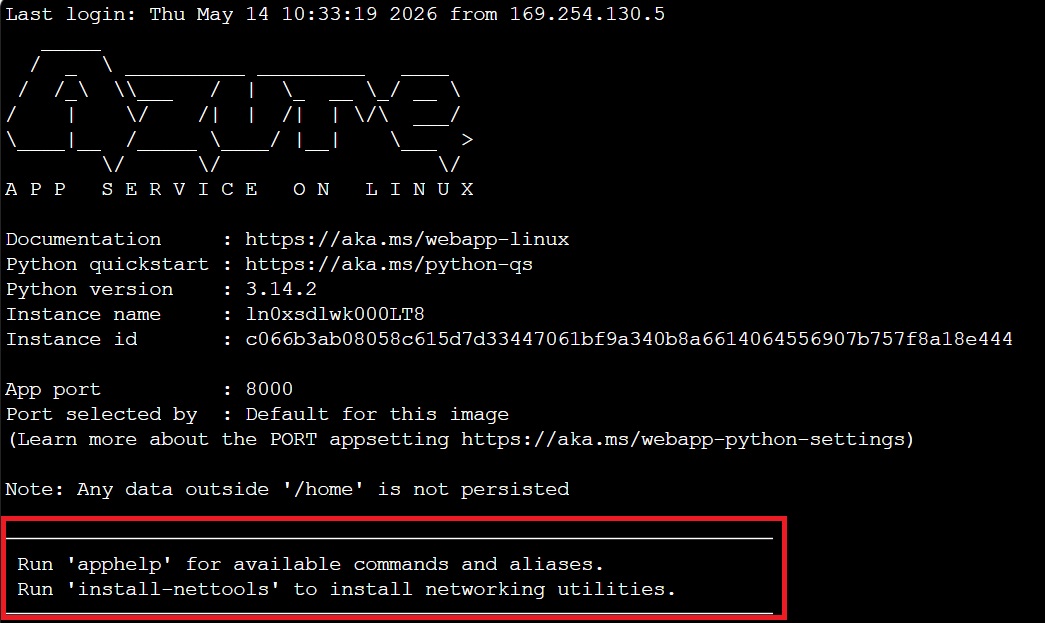
View available SSH helpers with apphelp
Run apphelp to see the full list of available aliases.
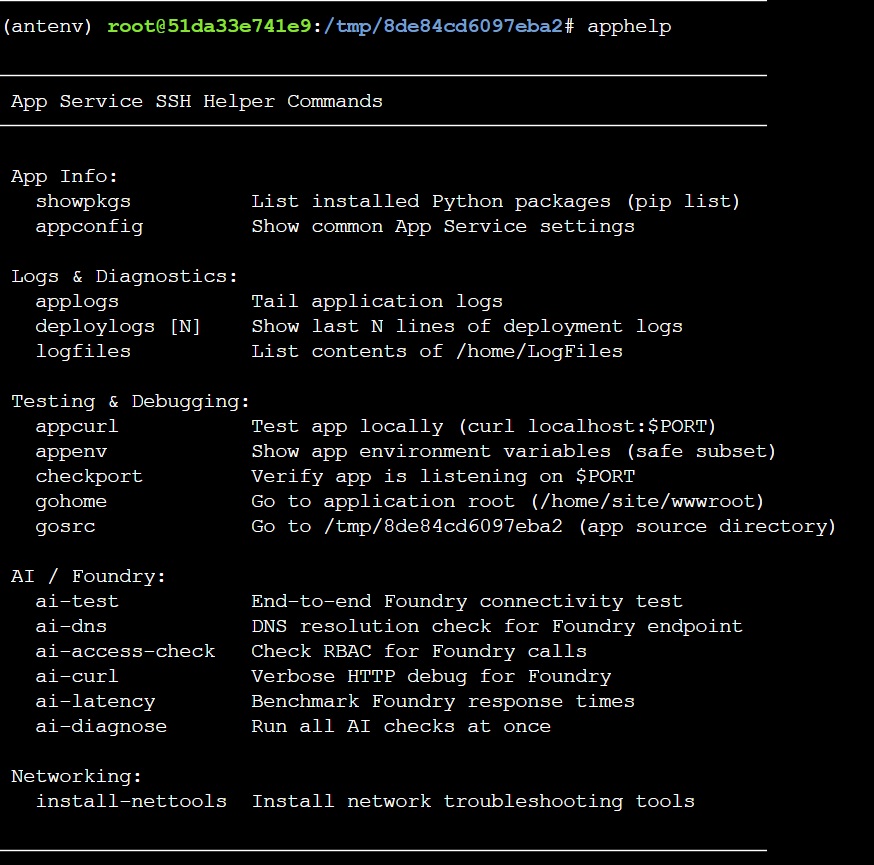
These helpers are grouped by common tasks, including app information, logs, diagnostics, testing, and Azure AI Foundry connectivity.
For example:
applogs
Tails your application logs directly from the SSH session.
appcurl
Tests your application locally using localhost:$PORT, which is useful when checking whether the app is listening correctly inside the container.
Other useful helpers include:
showpkgs       # List installed Python packages
appconfig      # Show common App Service settings
deploylogs     # Show recent deployment logs
checkport      # Verify the app is listening on the configured port
gohome         # Go to /home/site/wwwroot
gosrc          # Go to the app source directory
Azure AI Foundry diagnostics from SSH
We have also added helpers for Azure AI Foundry scenarios. These are useful when your app calls Azure AI services and you need to quickly validate identity, DNS, connectivity, or response latency from inside the App Service environment.
For a quick end-to-end connectivity test, run:
ai-test
Example output:
✓ Connected | 3706ms | Model: gpt-4.1-mini | Auth: Managed Identity
For a broader diagnostic check, run:
ai-diagnose
Example output:
AI Foundry Diagnostics

[✓] Managed identity token
[✓] DNS resolution
[✓] Foundry connectivity
Additional AI helpers include:
ai-dns            # Check DNS resolution for the Foundry endpoint
ai-access-check   # Check RBAC for Foundry calls
ai-curl           # Verbose HTTP debug for Foundry
ai-latency        # Benchmark Foundry response times
Install networking tools with install-nettools
For deeper connectivity troubleshooting, you can run:
install-nettools
This installs commonly used networking utilities that can help diagnose DNS resolution, TCP connectivity, routing, packet capture, listening ports, and HTTP endpoint access.
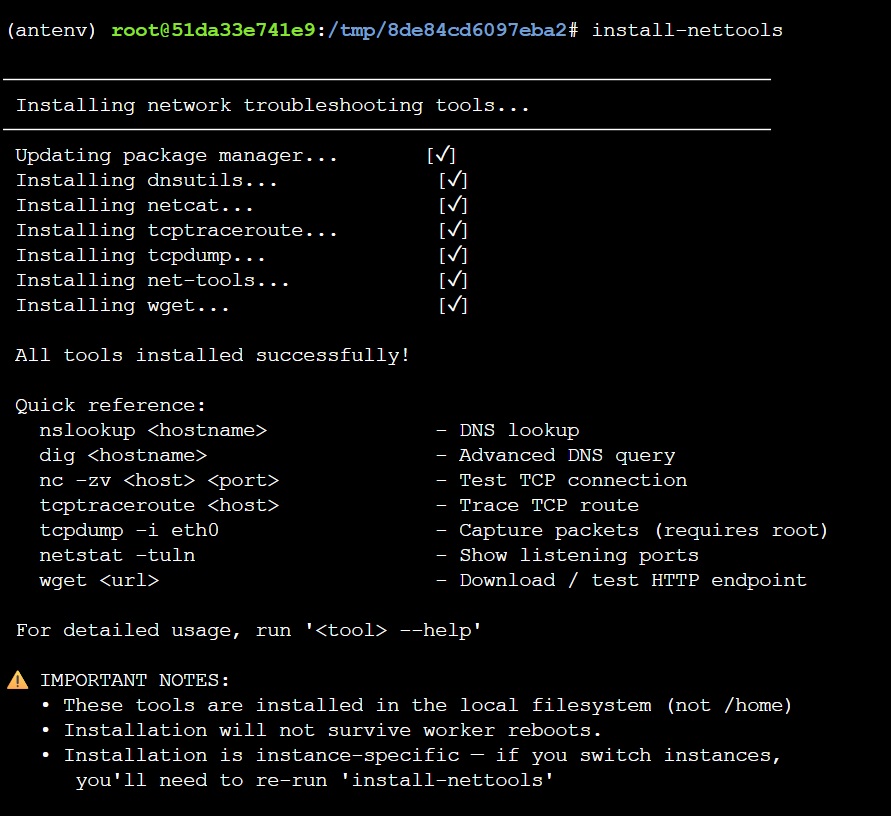
Why this helps
These aliases are intended to reduce the number of manual steps needed during troubleshooting. Instead of remembering log paths, port checks, curl commands, or AI connectivity validation steps, you can run a focused helper command directly from the SSH session.
If there are other common SSH commands or troubleshooting workflows you would like us to add as aliases, please share your feedback with us.
