Control runtime patch updates with Platform Release Channel on Azure App Service for Linux
Azure App Service for Linux is introducing Platform Release Channel, a new setting that gives you more control over when runtime patch updates are applied to your app.
With this feature, you can choose how quickly your app moves to newly rolled-out runtime patches. This helps teams balance two common needs: staying current with the latest security and platform updates, while also having enough time to validate changes before adopting them.
Why this matters
Runtime patch updates are important because they include fixes, security updates, and platform improvements. However, some production applications need time to validate these updates before moving to the newest available patch.
Platform Release Channel gives you that flexibility.
You can choose to stay close to the latest patch updates, use the default balanced option, or stay on an extended channel that gives you more time before adopting newer patches.
How it works
You can configure the Platform release setting from the Stack settings section in the Azure portal.
The setting supports three values:
| Channel | Behavior | Recommended for |
|---|---|---|
| Latest | Updates are delivered as soon as they are available | Not intended for production workloads |
| Standard | Default setting. Recieves updates at our standard release cadence | Recommended for most production apps |
| Extended | Typically stays one release behind standard | Apps that need extra time before adopting newer patches |
By default, apps are set to Standard. This gives you additional time to test the latest patch before your app moves to it.
Choose Latest when security and immediate access to the newest runtime patches are your priority. Choose Extended when your application needs more validation time before adopting newer patch versions.
How channels move forward
When a new runtime patch is available, App Service first rolls it out through the Latest channel using a faster release cadence. The same patch then continues through the normal rollout process and becomes available in the Standard channel after it has progressed further through validation and rollout. Extended remains further behind Standard to provide additional validation time for apps that need it.
For example, with the current .NET 10 rollout, the channels look like this:
| Stack | Runtime version | Latest | Standard | Extended |
|---|---|---|---|---|
| DOTNETCORE | 10 | 10.0.7 | 10.0.4 | 10.0.2 |
As the .NET 10 rollout progresses, the 10.0.7 patch will first be available through the Latest channel, then move to Standard through the normal rollout cadence.
For some stacks, Standard and Extended may currently show the same patch version. This is expected while the release channels are still moving through their rollout cadence. As additional rollout waves progress, the channel versions will separate and reflect the intended behavior for each channel.
Configure Platform Release Channel
You can configure it on the Azure portal
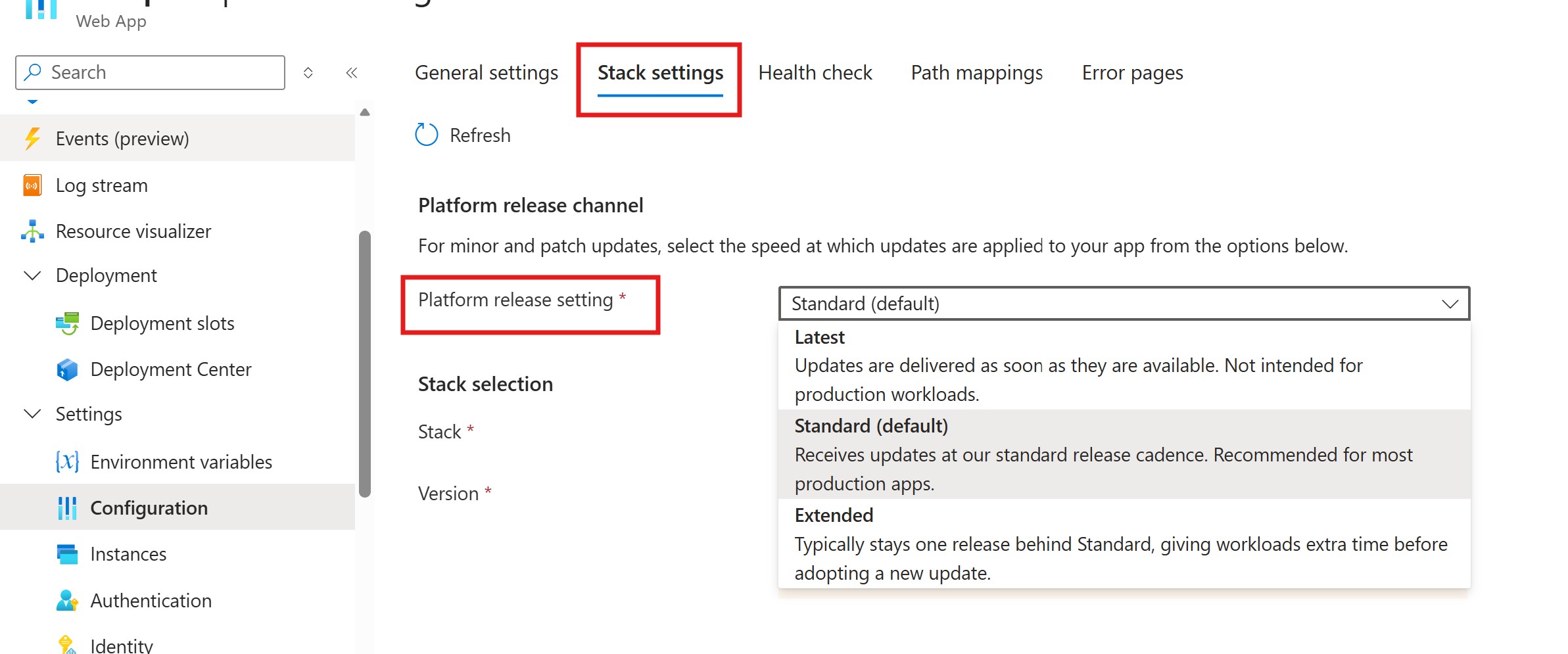
You can also configure the release channel using Azure CLI.
To move to the latest available patch channel:
az webapp update \
  --resource-group <resource-group> \
  --name <site-name> \
  --platform-release-channel Latest
To use the default channel:
az webapp update \
  --resource-group <resource-group> \
  --name <site-name> \
  --platform-release-channel Standard
To give your app more time before adopting newer patches:
az webapp update \
  --resource-group <resource-group> \
  --name <site-name> \
  --platform-release-channel Extended
Summary
Platform Release Channel gives you a simple way to control the pace at which runtime patch updates are applied to your Linux apps on Azure App Service.
Use Latest when you want the newest available patches as soon as they are rolled out. Use Standard for the default balance between currency and stability. Use Extended when your app needs more validation time before moving to newer runtime patches.
