Better Deployment Errors in az webapp deploy
Deployment failures can be difficult to interpret, especially when the error returned by the deployment API does not clearly explain what went wrong or what to do next.
To make this easier, we have added a new switch to az webapp deploy for App Service for Linux:
--enriched-errors true
When enabled, deployment failures show context-enriched diagnostics directly in the CLI output. This includes an error code, deployment context, the raw error, suggested fixes, and a Copilot-ready prompt that you can use for additional guidance.
By default, this option is disabled.
How to use it
Add --enriched-errors true to your deployment command:
az webapp deploy \
  --resource-group <resource-group-name> \
  --name <app-name> \
  --src-path <path-to-package> \
  --enriched-errors true
What you get
With enriched errors enabled, failed deployments can include details such as:
Error Code  : ArtifactStackMismatch
Stage       : Deployment
Runtime     : DOTNETCORE|9.0
Deploy Type : WarDeploy
Kudu Status : 400

Raw Error:
Artifact type = 'War' cannot be deployed to stack = 'DOTNETCORE'.

Suggested Fixes:
- Ensure the artifact type matches the app's runtime stack
- Check the current linuxFxVersion
- Update the runtime stack if needed
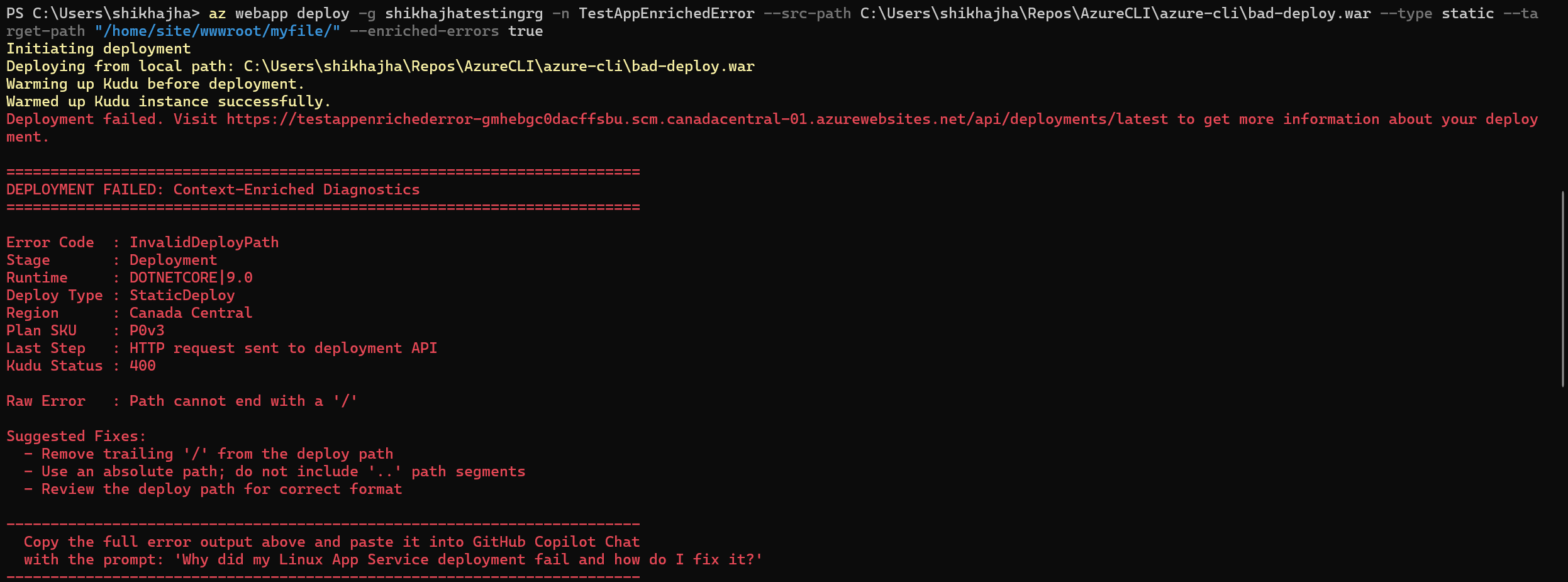
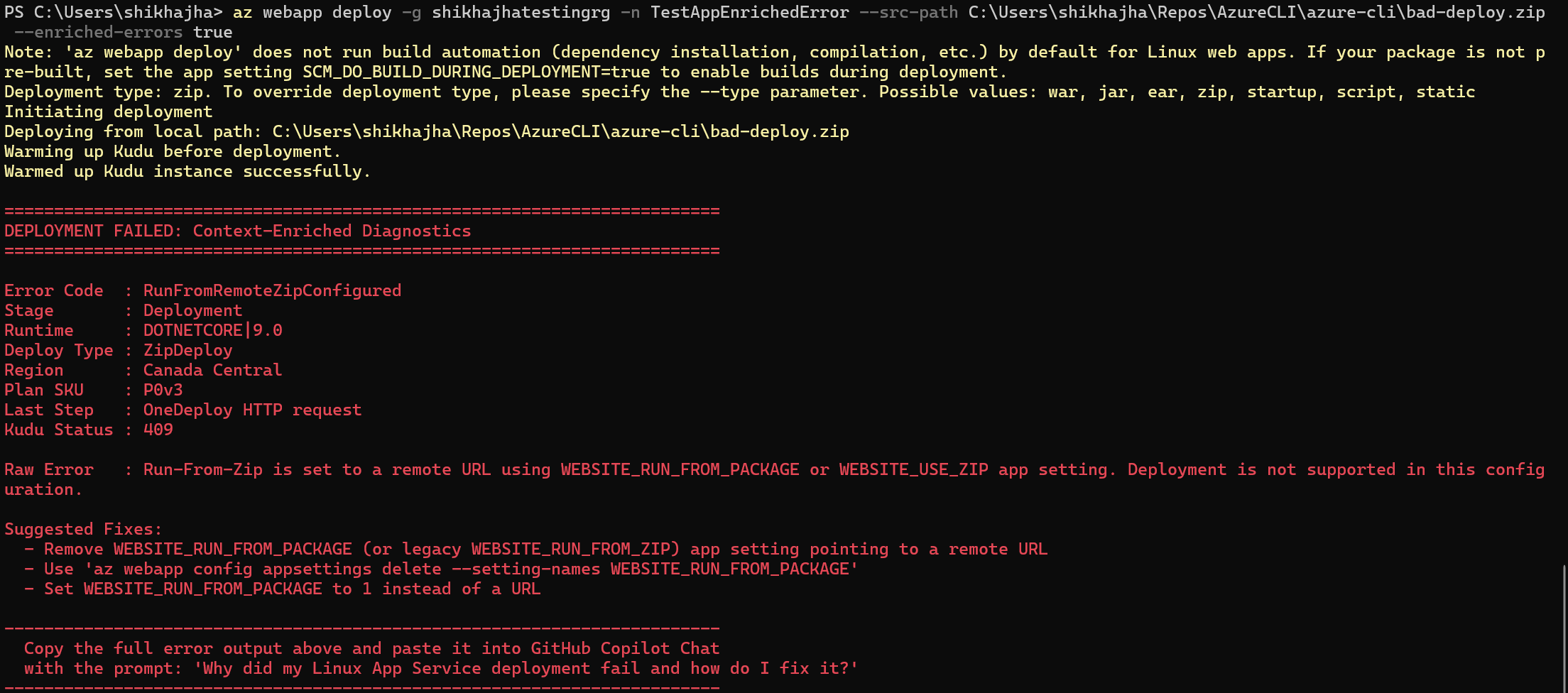
This makes it easier to understand whether the failure is caused by an artifact/runtime mismatch, an invalid deployment path, missing required parameters, or a configuration conflict such as WEBSITE_RUN_FROM_PACKAGE.
The screenshots below show a couple of more examples of enriched deployment failures.
Use with GitHub Copilot
The enriched output also includes a prompt that you can paste into GitHub Copilot along with the full error details:
Why did my Linux App Service deployment fail and how do I fix it?
This can help you get more specific guidance based on your deployment configuration and the failure details.
Summary
The new --enriched-errors switch gives you clearer and more actionable deployment failure information directly in the Azure CLI.
Try it out the next time you are deploying to Azure App Service for Linux.
