A simpler way to deploy your code to Azure App Service for Linux
We’ve added a new deployment experience for Azure App Service for Linux that makes it easier to get your code running on your web app.
To get started, go to the Kudu/SCM site for your app:
<sitename>.scm.azurewebsites.net
From there, open the new Deployments experience.
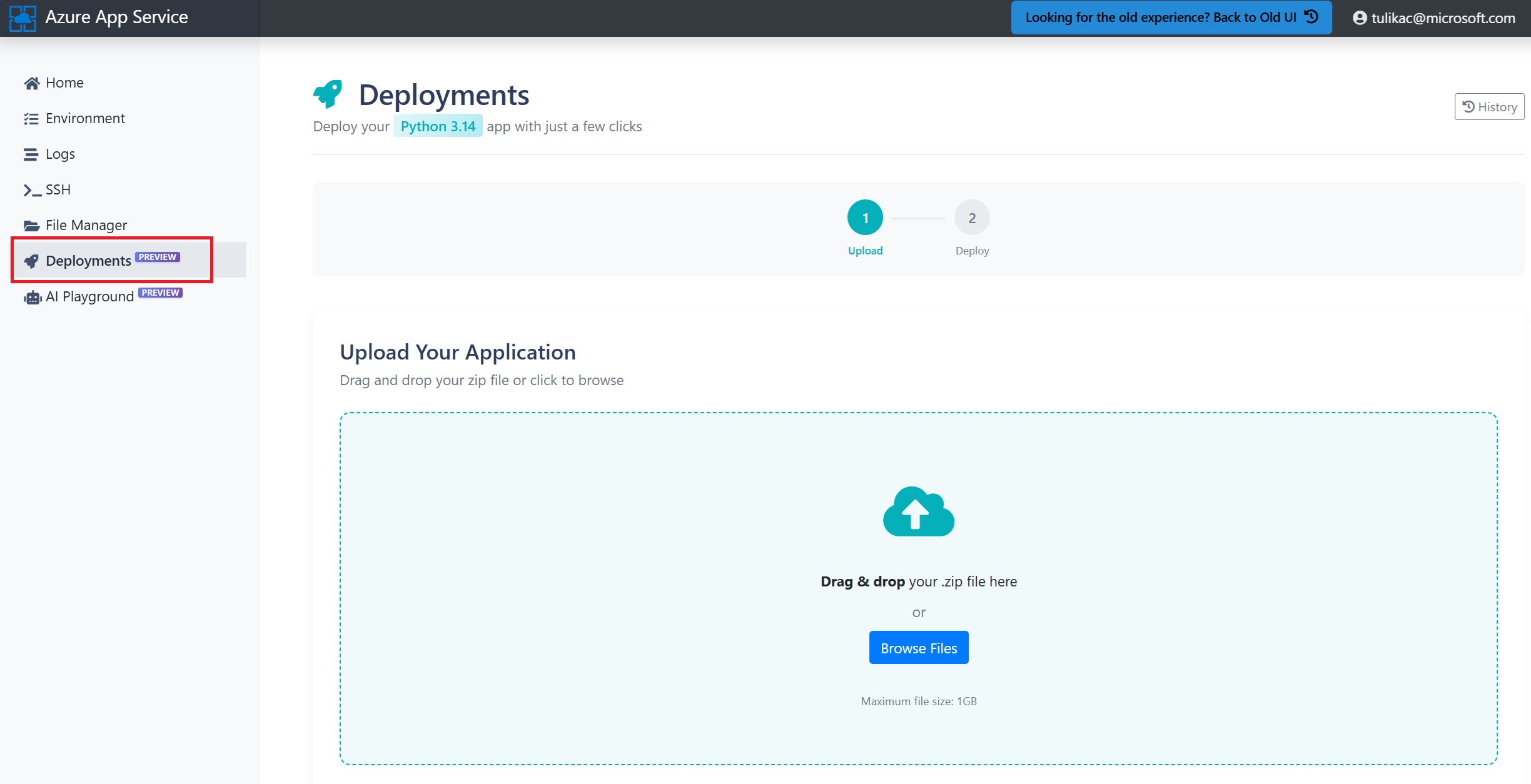
You can now deploy your app by simply dragging and dropping a zip file containing your code. Once your file is uploaded, App Service shows you the contents of the zip so you can quickly verify what you’re about to deploy.
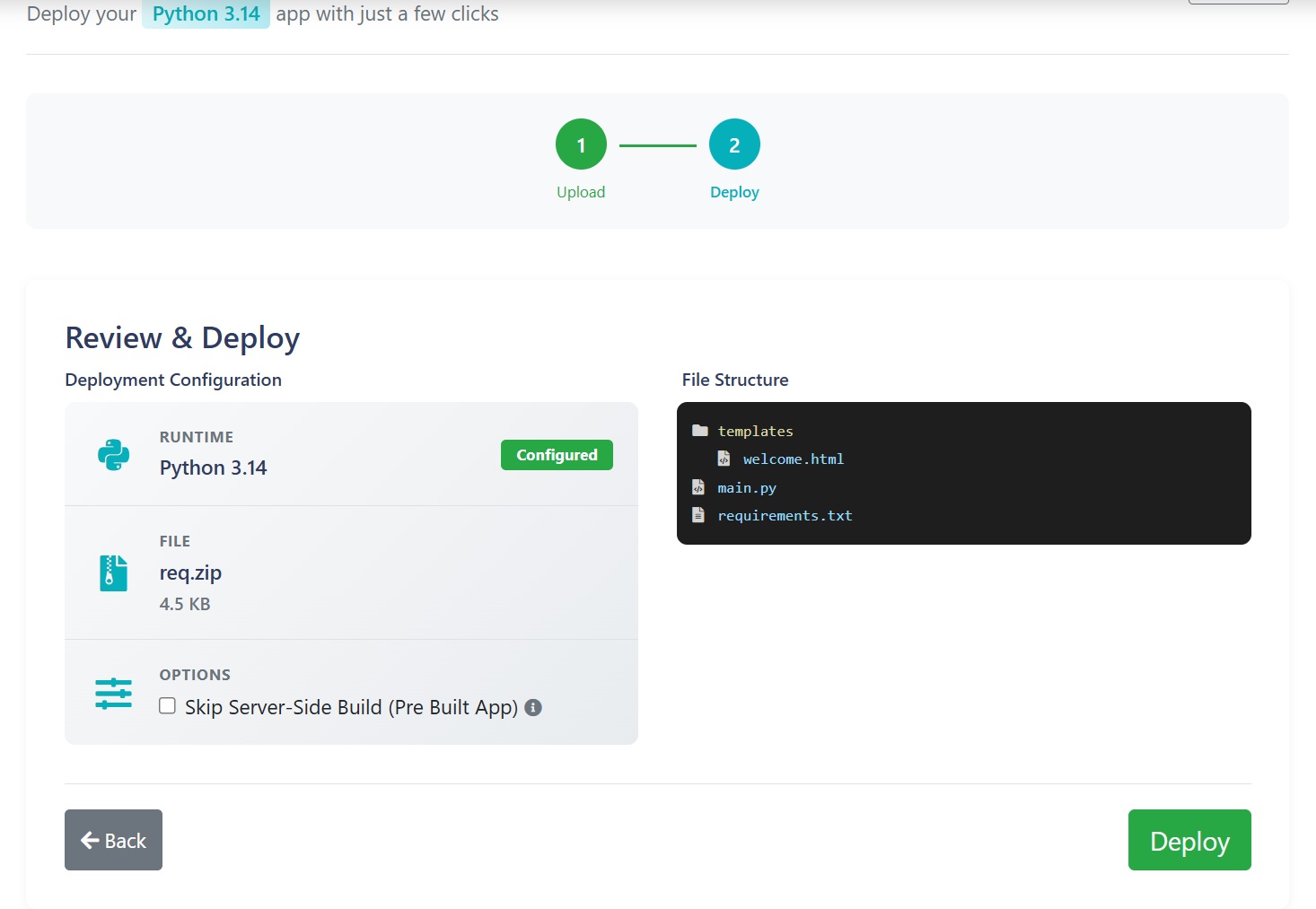
If your application is already built and ready to run, you also have the option to skip server-side build. Otherwise, App Service can handle the build step for you.
When you’re ready, select Deploy.
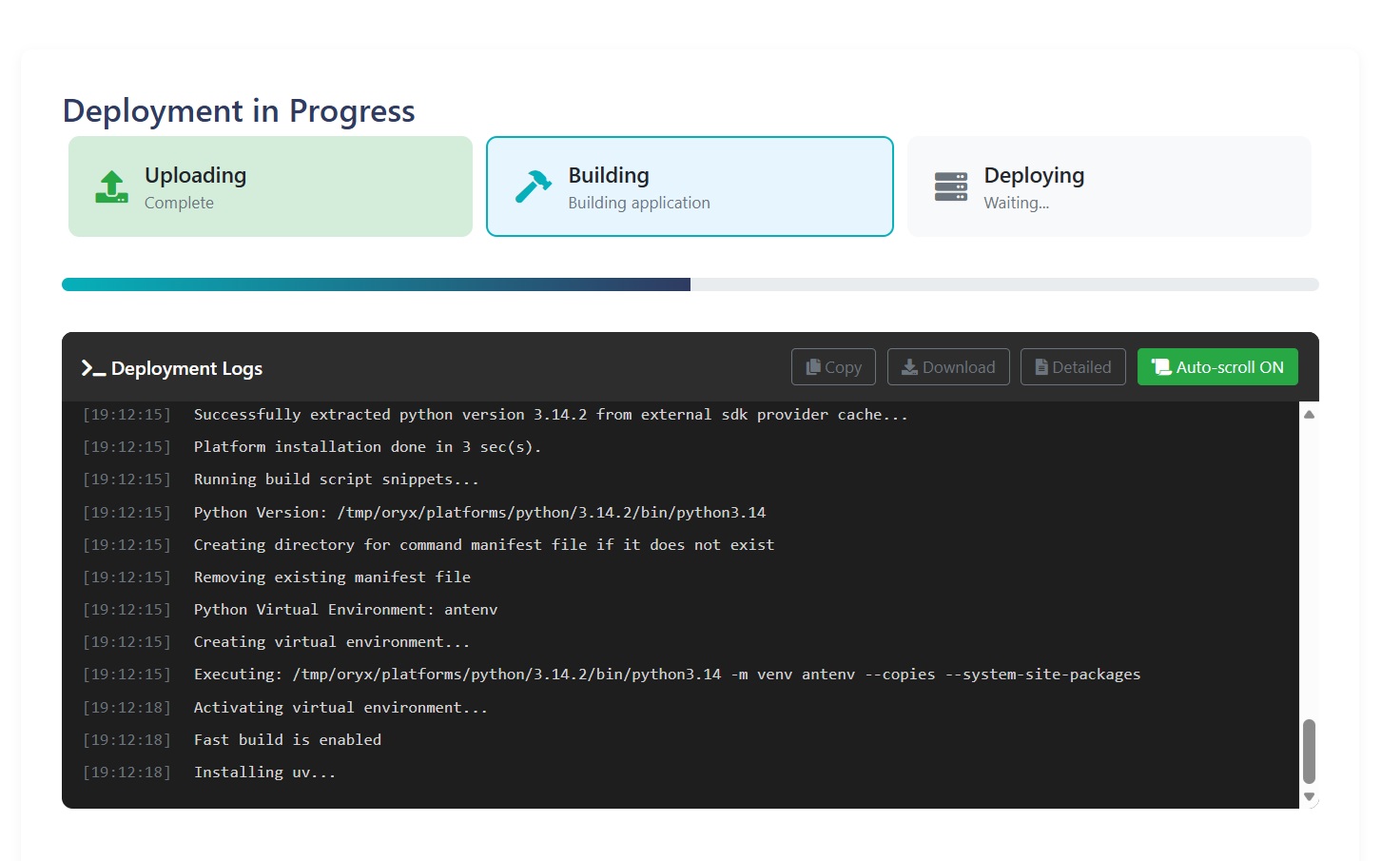
From there, the deployment starts right away, and you can follow each phase of the process as it happens. The experience shows clear progress through upload, build, and deployment, along with deployment logs to help you understand what’s happening behind the scenes.
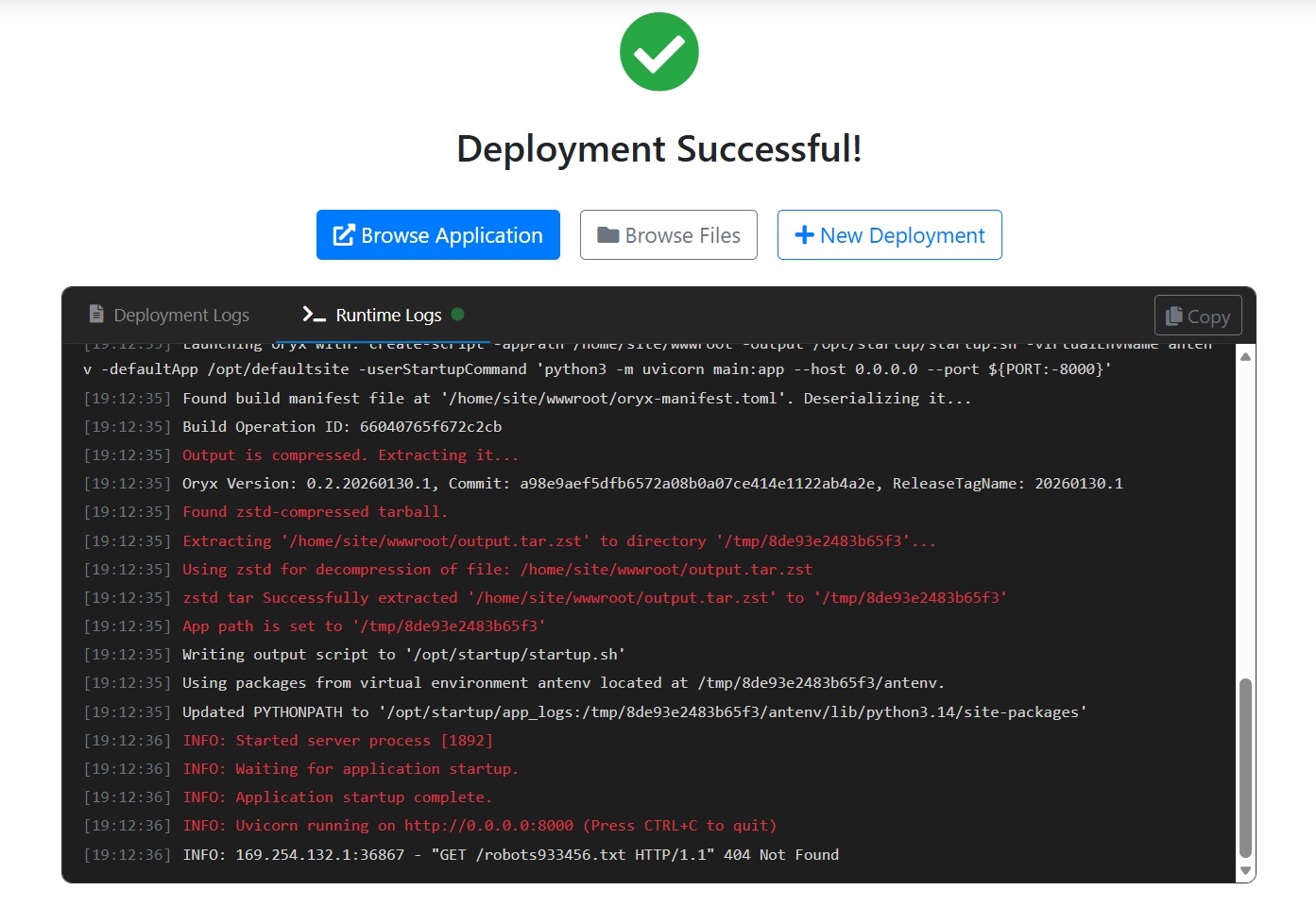
After the deployment succeeds, you can also view runtime logs, which makes it easier to confirm that your app has started successfully.
This experience is ideal if you’re getting started with Azure App Service and want the quickest path from code to a running app. For production workloads and teams with established release processes, you’ll typically continue using an automated CI/CD pipeline (for example, GitHub Actions or Azure DevOps) for repeatable deployments.
We’re continuing to improve the developer experience on App Service for Linux. Give it a try and let us know what you think.
