kubernetes-hackfest
Delivering modern cloud-native applications with open source technologies on Azure Kubernetes Service
Module 4: Using DNS egress access controls with global networkset
Goal: Calico Cloud & Calico EE offer a DNS policy which leverages Network Sets to whitelist external access. Configure egress access for specific workloads.
Docs: https://projectcalico.docs.tigera.io/reference/resources/globalnetworkset
Steps
-
Add the
allow-ms-accessDNS policy to security tier.kubectl apply -f demo/20-egress-access-controls/netset.external-apis.yaml kubectl apply -f demo/20-egress-access-controls/dns-policy.netset.yamlThis will add
allow-ms-accesspolicy to yoursecuritytier.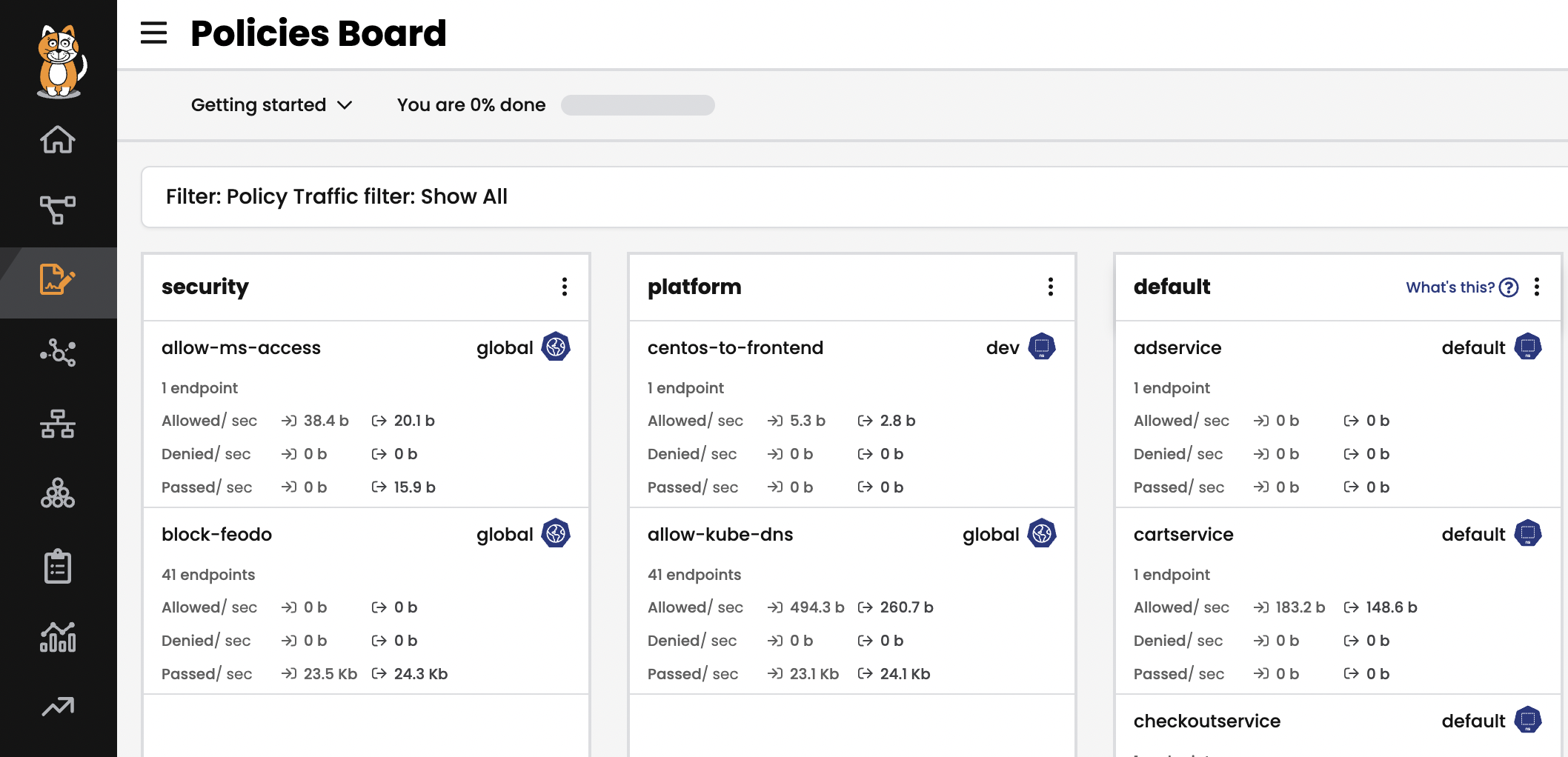
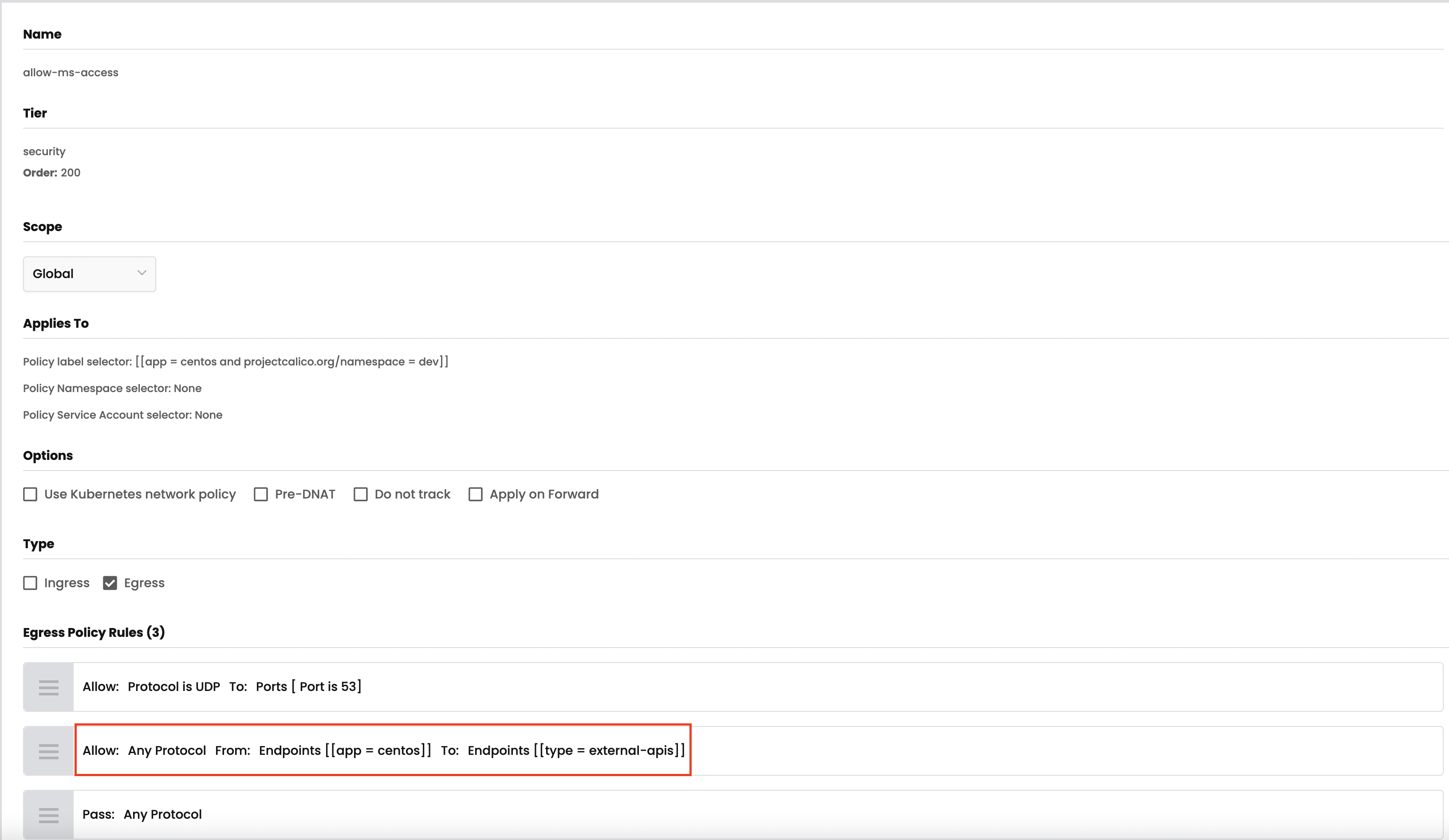
By leveraging stats controls you can toggle additional metrics to be listed for each shown policy.
-
View the details for
external-apisin theNetwork Setsview. You can add or delete the Domain name with your calico cloud manager UI.# test egress access to www.bing.com, it will be deny with "exit code 1". kubectl -n dev exec -t centos -- sh -c 'curl -m3 -skI https://www.bing.com 2>/dev/null | grep -i http' # test egress access to www.microsoft.com, it will be allowed with "HTTP/1.1 200". kubectl -n dev exec -t centos -- sh -c 'curl -m3 -skI https://www.microsoft.com 2>/dev/null | grep -i http'As access to
*.microsoft.comis permitted and access to*.bing.comis denied, we are able to whitelist domains as described next, you can also try to add*.bing.cominexternal-apisand test the connectivity again.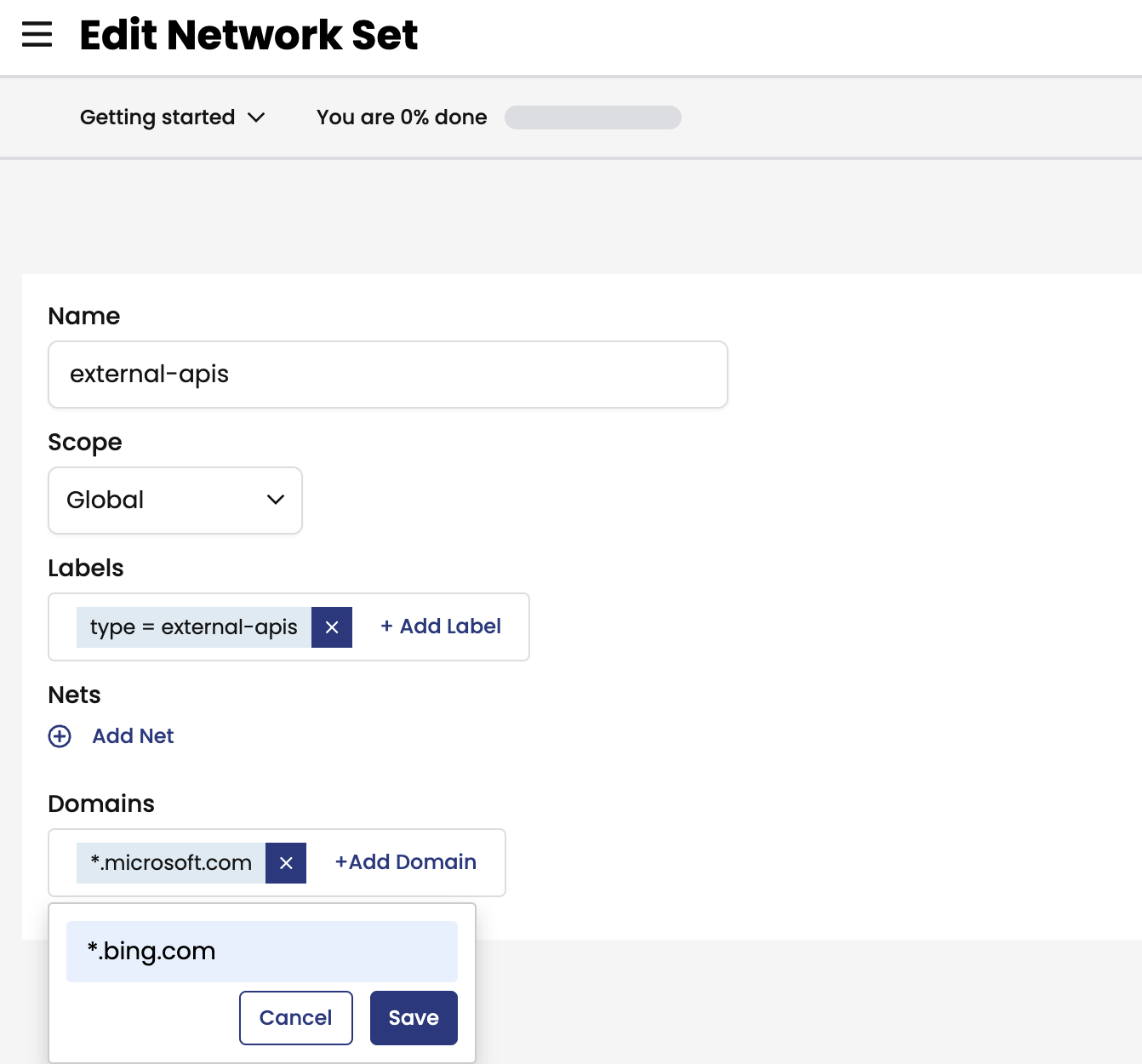
 # test egress access to www.bing.com, it will be allowed with "HTTP/1.1 200".
 kubectl -n dev exec -t centos -- sh -c 'curl -m3 -skI https://www.bing.com 2>/dev/null | grep -i http'