User Feedback Configuration
Develop adoption, not a release
Adoption status and approval scope supersede the historical “unmerged” and pending-exception labels below. Source pins remain implementation evidence; released manifest pins are unchanged. See that record for active rules, reference runs and remaining validation gaps.
GPT-RAG includes a User Feedback Loop feature that lets users evaluate
assistant responses through the UI. In the currently released classic
Container Apps topology and the explicit classic fallback, feedback is
processed by the orchestrator and stored in Cosmos DB. The published
hosted component matrix implements separate
user history, feedback, and delete APIs in UI v2.6.2. Hosted-panel is now an
explicit supported topology in the pinned umbrella matrix, but
PANEL_HISTORY_ENABLED and PANEL_HISTORY_OWNER_BINDING_VALIDATED remain
deployment-published false, so these routes continue to return 503 until
their separate evidence procedure completes.
For the component contract, the UI BFF checks the caller's validated oid
against the owner index before reading managed Conversation messages or
metadata. Missing and non-owner resources both return opaque 404. Feedback
stores bounded, sanitized rating/category/comment/message-reference metadata
only; message bodies and citations remain in managed Conversations. Delete
removes the managed Conversation first and then metadata, returning an explicit
partial result if metadata cleanup fails. Signed pagination cursors are
oid-bound and expiring; tampered, expired, or cross-user cursors return 422.
These routes return 503 while panel/history gates are off.
Unmerged UI owner-index failure outcome
UI aef9546
retains ordinary chat when the creation-time panel owner-index write fails.
Without the row, listing omits the conversation and panel read, feedback
and delete fail closed with opaque 404 responses. A safe log states that
the write was not confirmed and owner-index repair is required; no
automatic repair is attempted. Continuing chat does not rerun that hook.
Ask the operator to investigate and arrange authorized index repair,
without bypassing ownership checks. See recovery guidance.
This candidate does not change the shipped manifest or enable panel gates.
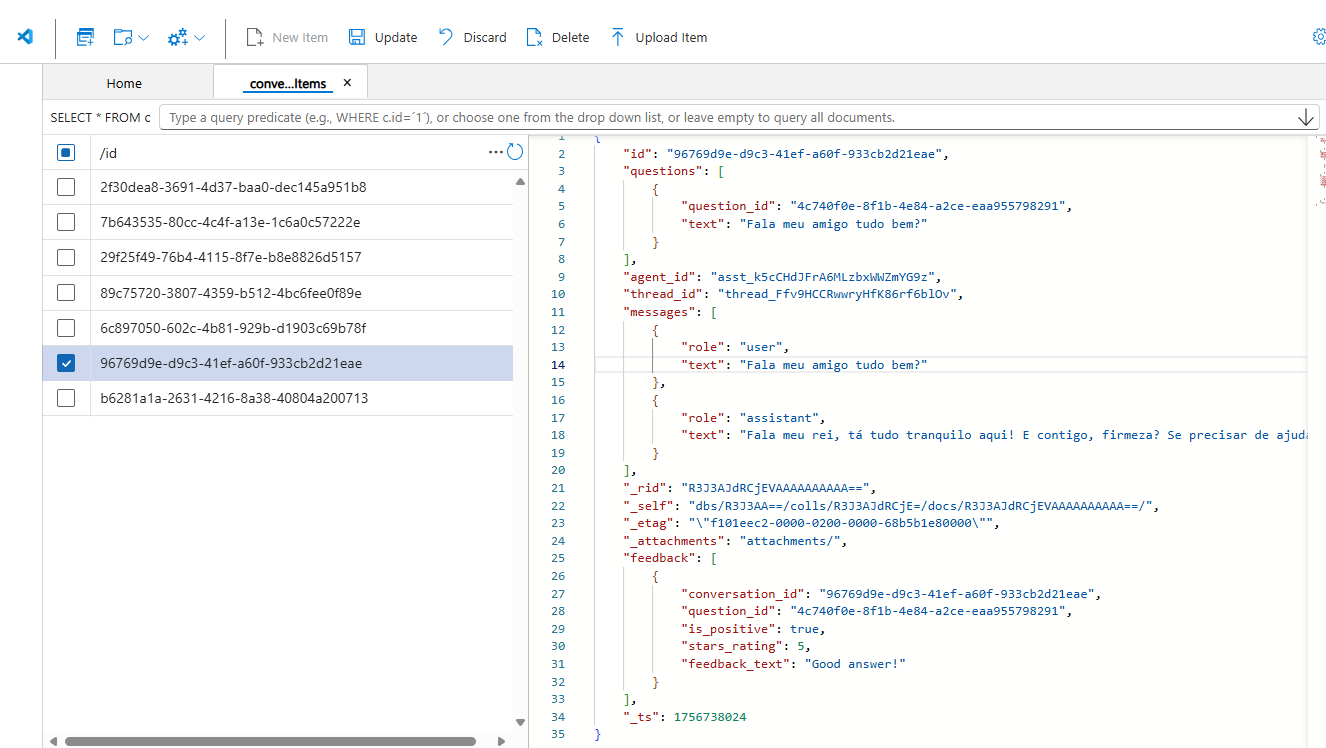
User feedback stored in Cosmos DB
By default, basic feedback (thumbs up/down) is enabled, while detailed ratings (star rating and comments) are disabled. Administrators control these options through Azure App Configuration.
Feedback Types
Unmerged P1 classic feedback correction
Candidate UI commit: 48d87b2fb2fb9a158d02f204cfbcc3941fb6126e.
The UI selects the submission notification from the backend outcome before attempting to remove the feedback form. A form-removal failure is logged separately: it does not turn an acknowledged submission into failure, turn backend failure into success, or repeat the write. The form may remain visible. Cancellation still propagates; neither form removal nor toast delivery is guaranteed. This is not a change to hosted-panel gates or a new persistence guarantee.
When enabled, users can provide star ratings and text comments for richer feedback that captures both satisfaction and reasoning.
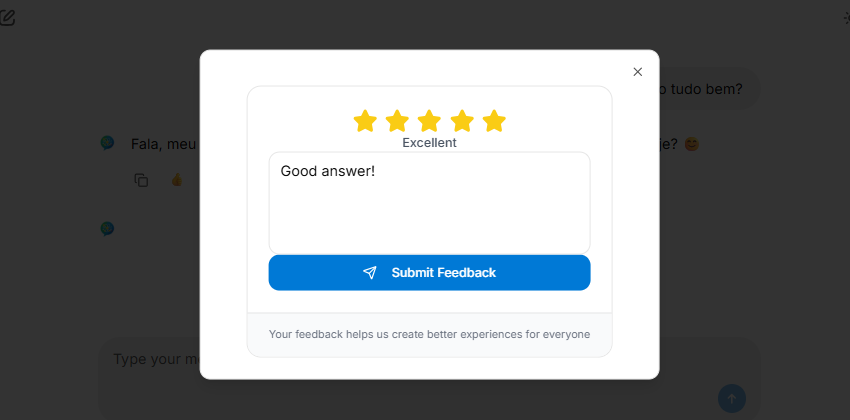
User providing rating and comment feedback
Configuration Settings
The behavior of the feedback loop is controlled by key-values in Azure App Configuration:
- ENABLE_USER_FEEDBACK → Default:
trueControls whether the feedback feature is available at all.
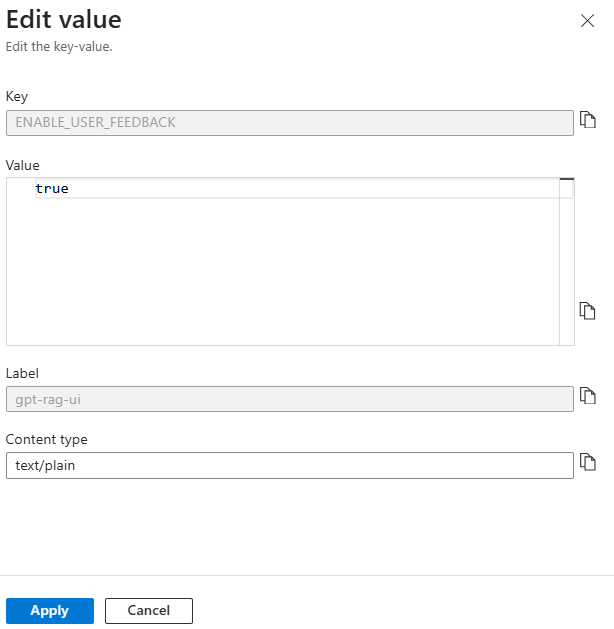
Key to enable or disable user feedback globally
- USER_FEEDBACK_RATING → Default:
falseControls whether users can provide detailed feedback with ratings and comments.
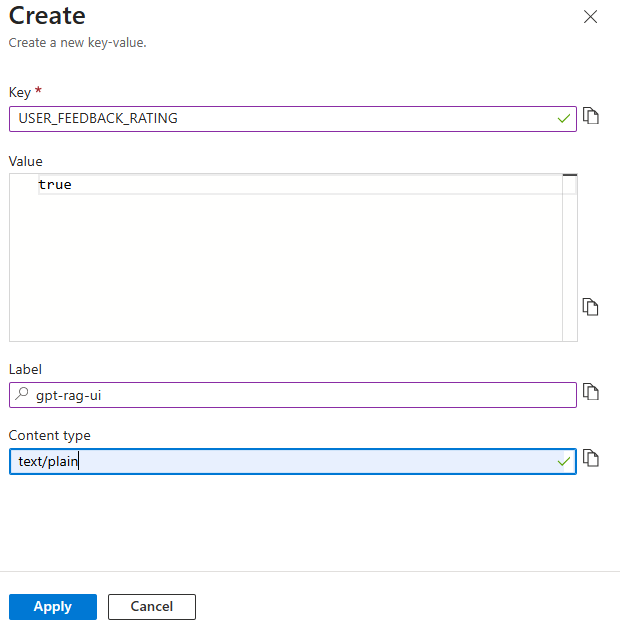
Key to enable or disable detailed rating feedback
Default Values
ENABLE_USER_FEEDBACK = trueUSER_FEEDBACK_RATING = false
This means feedback is collected by default, but star ratings and comments must be explicitly enabled by setting USER_FEEDBACK_RATING to true.