Notify ALZ pattern alerts only
In this page
Overview
Following to a number of request from our customers, a filter mechanism to prevent AMBA-ALZ Alert Processing Rule (APR) to be appllied to non AMBA-ALZ alerts wa required. Without this feature, all the alerts generated for a given scope (i.e. a subscription) are notified through the linked Action Group (AG), causing unnecessary notification and alert pressure. Ideally a pattern should notify for the alerts it manages. Here’s why with this new feature it is now possible to either maintain the previous behavior where all alerts are notified (this configuration might work for small environment where the same team takes care of everything) or to configure the alert processing rule to only react to alerts whose description starts with a pre-identified string.
How this feature works
To leverage this new feature, the configuration of AMBA-ALZ pattern alerts and parameter file has changed as following:
- All the AMBA-ALZ alerts now contain a prefix string in their description. For AMBA-ALZ it is “AMBA-ALZ: “
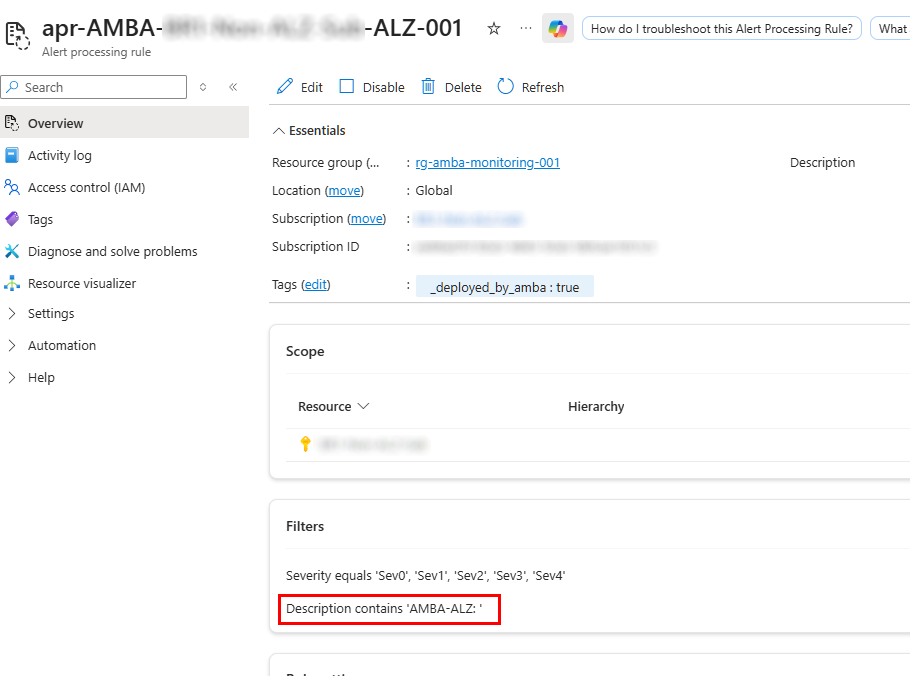
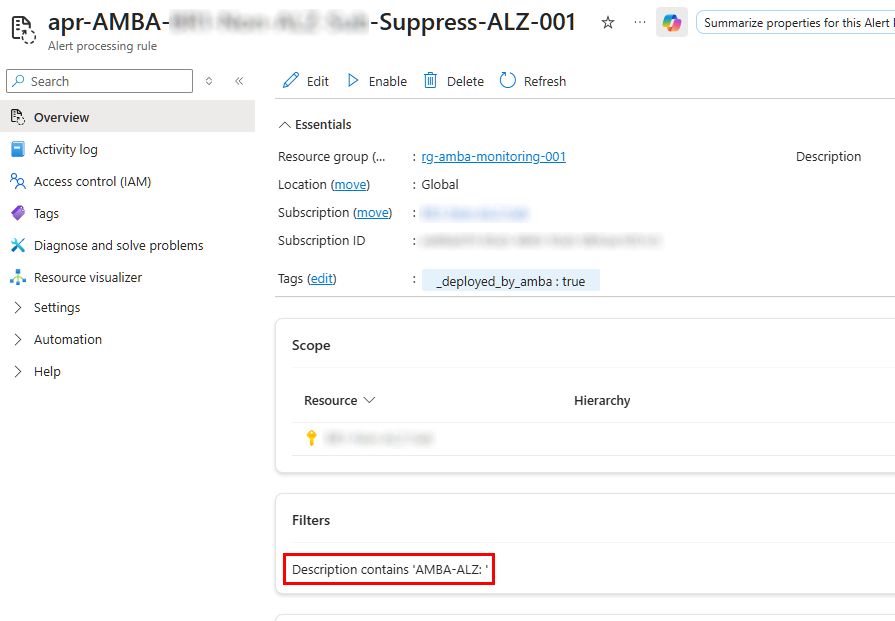
- The APRs (both the notification and the suppression) are now configured to include a filter on the alert description looking for the above mentioned prefix string
If you explore the configuration of alert rules created by AMBA-ALZ policies (or the policies themselves) you can see that the description field now starts with the prefix:
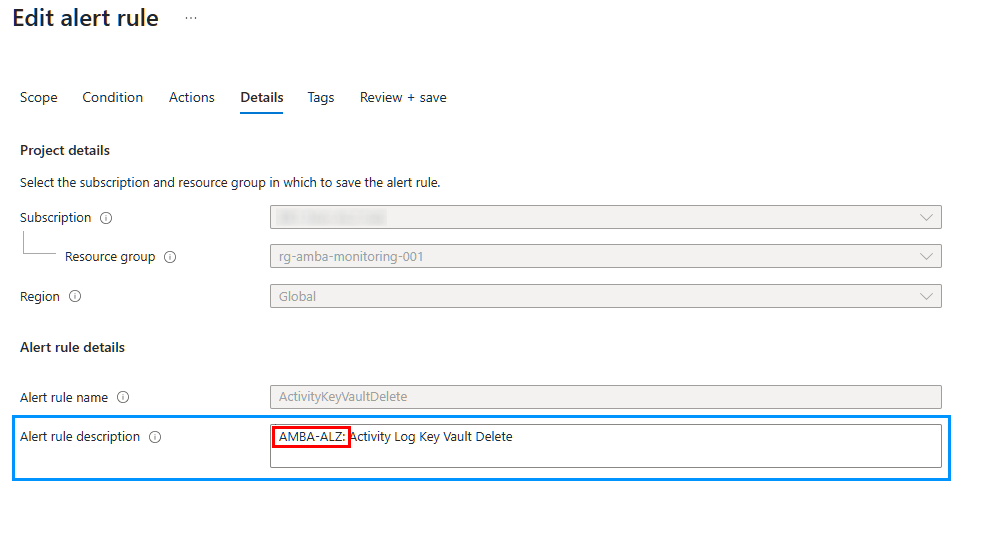
This prefix has been also configured as filter criteria in both Alert Processing Rule and Suppression Alert Processing Rule:
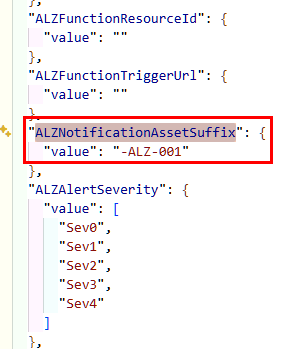
The AMBA-ALZ team also took this opportunity to also name Alert Processing Rules and Action Groups in a clearer way, using a new suffix, to make more and more evident that these are related to AMBA-ALZ pattern:


The new suffix which is provided with the default value as part of the param file and does not need to be changed unless there’s a specific need:
How to enable the feature
Opting in and out is easy and is controlled by a new parameter, called includeAlzAlertsOnly, in the parameter file.
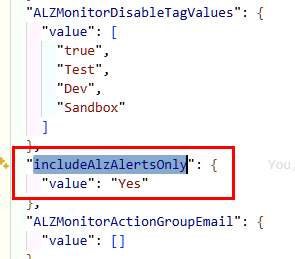
By default it is set to Yes, meaning that this new filtering feature is enabled by default. For new deployment this is the recommended configuration. For existing deployment, it is highly recommended to look at the parameter file before performing the update. Leaving it set to the default value, will cause existing notification assets resources to be set as uncompliant. Given this new compliance state, when the remediation task is executed they will be recreated with the new configuration, leaving the old one in place and potentially causing duplicate notifications. For this reason, in case of version update, it is recommended to either remove the existing notification assets and alerts before performing the remediation, or to change the parameter value to No to not alter the current behavior.
Opting in (or out) is possible and allowed at any time. It is sufficient to change the parameter value, redeploy and remediate or change the parameter value in the policy assignment and perfom the remediation.
In any case, the remediation is needed since it is the way we do apply the proper configuration.